GridLayout
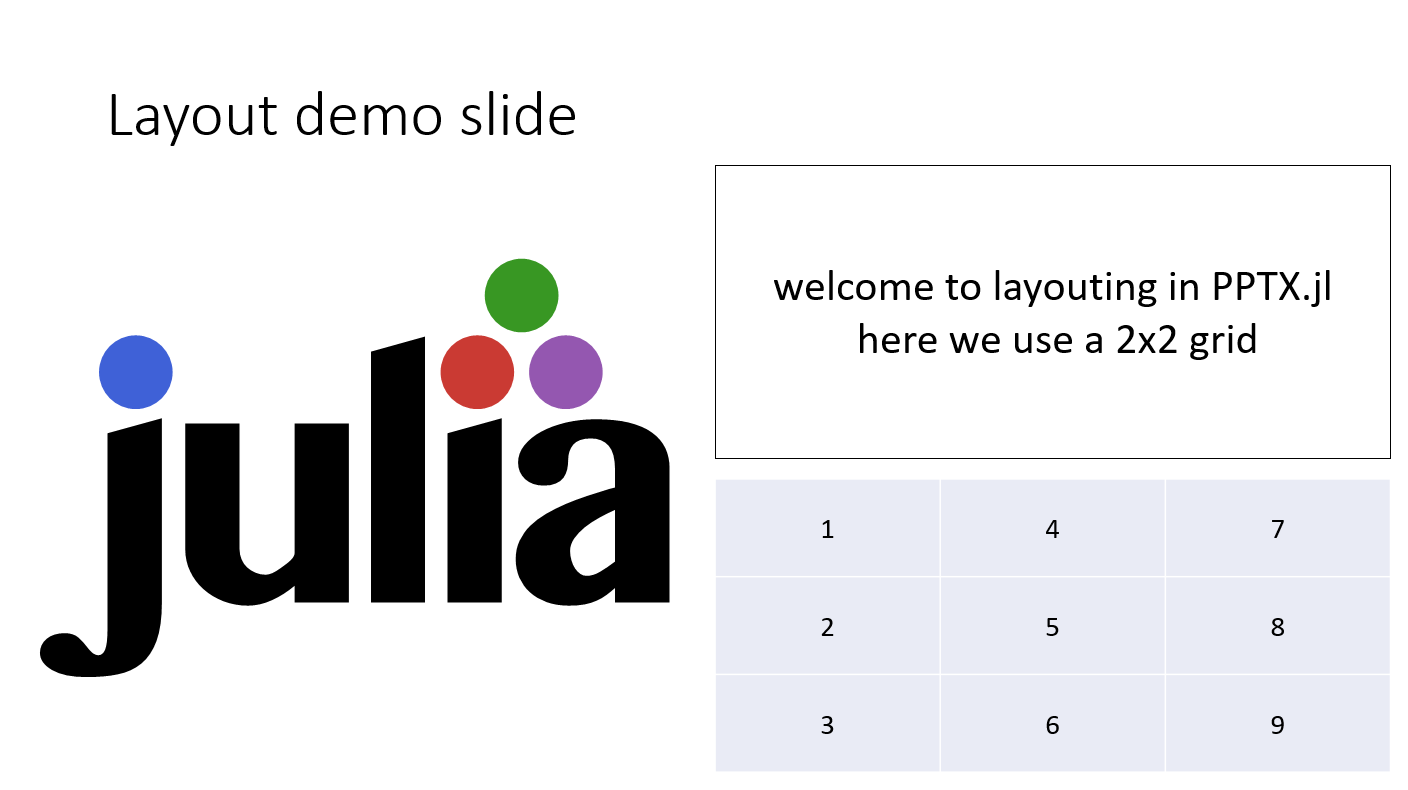
GridLayout lets you declare where shapes go on a slide without specifying absolute millimeter slide positions. The layout computes cell sizes from the actual slide dimensions at write time.
Note that by default TextBoxes and Tables are fully rescaled to fit the grid cells. Pictures and Videos are resized while keeping their ratio fixed.
We do not yet supported nested layouts.
using PPTX

p = Presentation(title="GridLayout demo", author="PPTX.jl")
s = Slide(; title="Layout demo slide")

text = TextBox(
    content="welcome to layouting in PPTX.jl\n here we use a 2x2 grid",
    textstyle=(align=:center, fontsize=30),
    anchor=:center,
    linecolor=:black,
    wrap=true
)
table_cells = TableCell.(
    reshape(1:9, 3,3);
    textstyle=(fontsize=20, align=:center),
    anchor=:center
)
table = Table(table_cells, bandrow=false)

layout = GridLayout(2, 2)
layout[:, 1] = Picture(joinpath(PPTX.ASSETS_DIR, "julia_logo.emf"))
layout[1, 2] = text
layout[2, 2] = table

push!(s, layout)
push!(p, s)

write("gridlayout_example.pptx", p; overwrite=true)